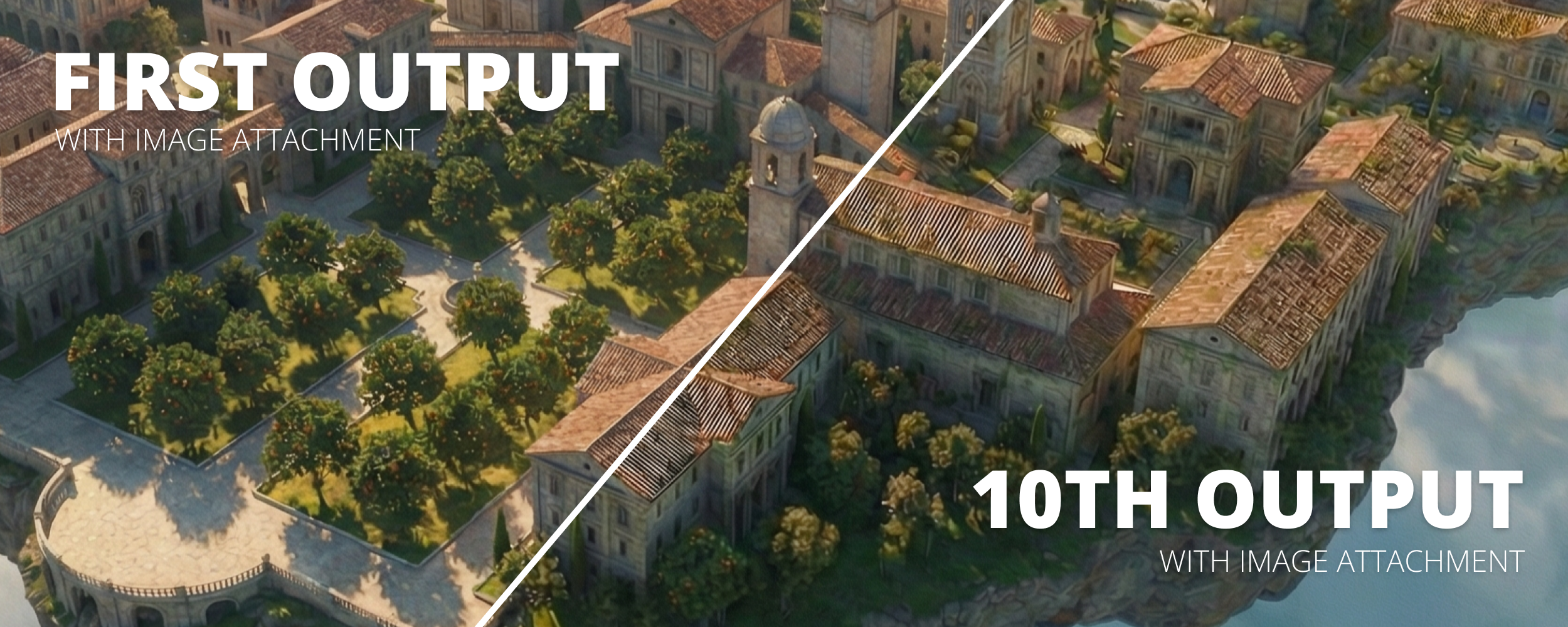
Nano Banana Pro has a quirk when you use it to iteratively edit images: the quality can drastically degrade over time. Let's dive into how it happens and ways to fix it.
Every AI image generation model has its own strengths and weaknesses. But it's often difficult to tell what they are, especially from benchmarks or a few vibe checks. Nano Banana Pro is top-tier in nearly every aspect, from generating new images to editing existing ones.
I've been designing a floating university campus for a short film using an iterative process with Nano Banana Pro to add and modify elements. I generate a starting image that looks good, then I draw on it and tell the AI model to edit the image based on my drawings. I repeat this over and over until I have a finished image that I'm satisfied with.
You might be using a workflow similar to this. But there's one catch with Nano Banana Pro: your image quality might get worse with each edit. Let's start from the beginning to see how all this works.
Create the Base Image
First, we need our base image. This can usually be done with any text-to-image model. Midjourney is also a great spot for this. You have something in mind, like a university campus floating in the sky, and want to bring it to life.
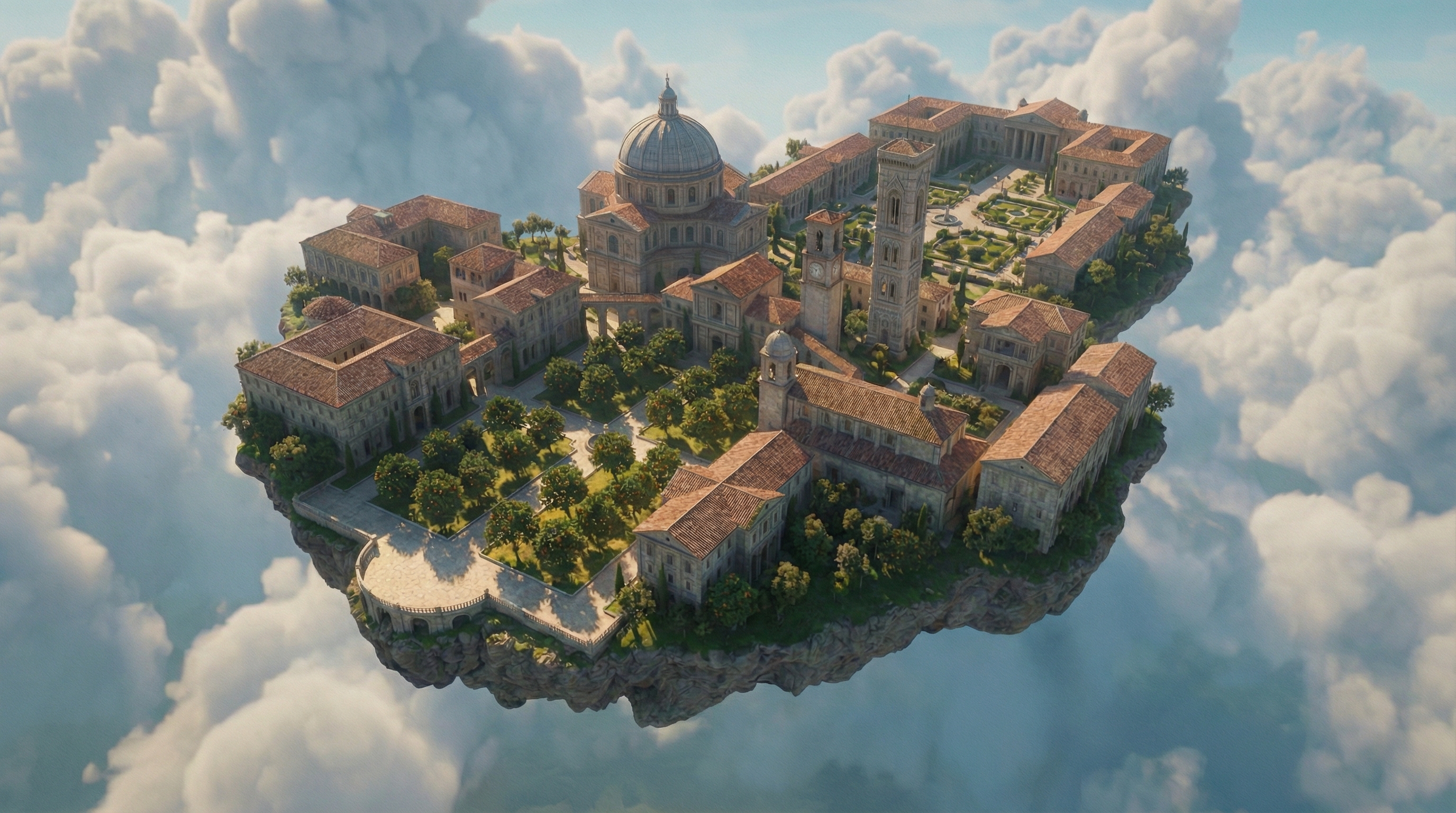
This is what I got after adjusting my prompt and generating about 20 different images. I used Nano Banana Pro to generate this.
Iteratively Editing
It's a good start, but I want to expand the island to add more buildings and details. So I draw a zone on my image and prompt to add more.
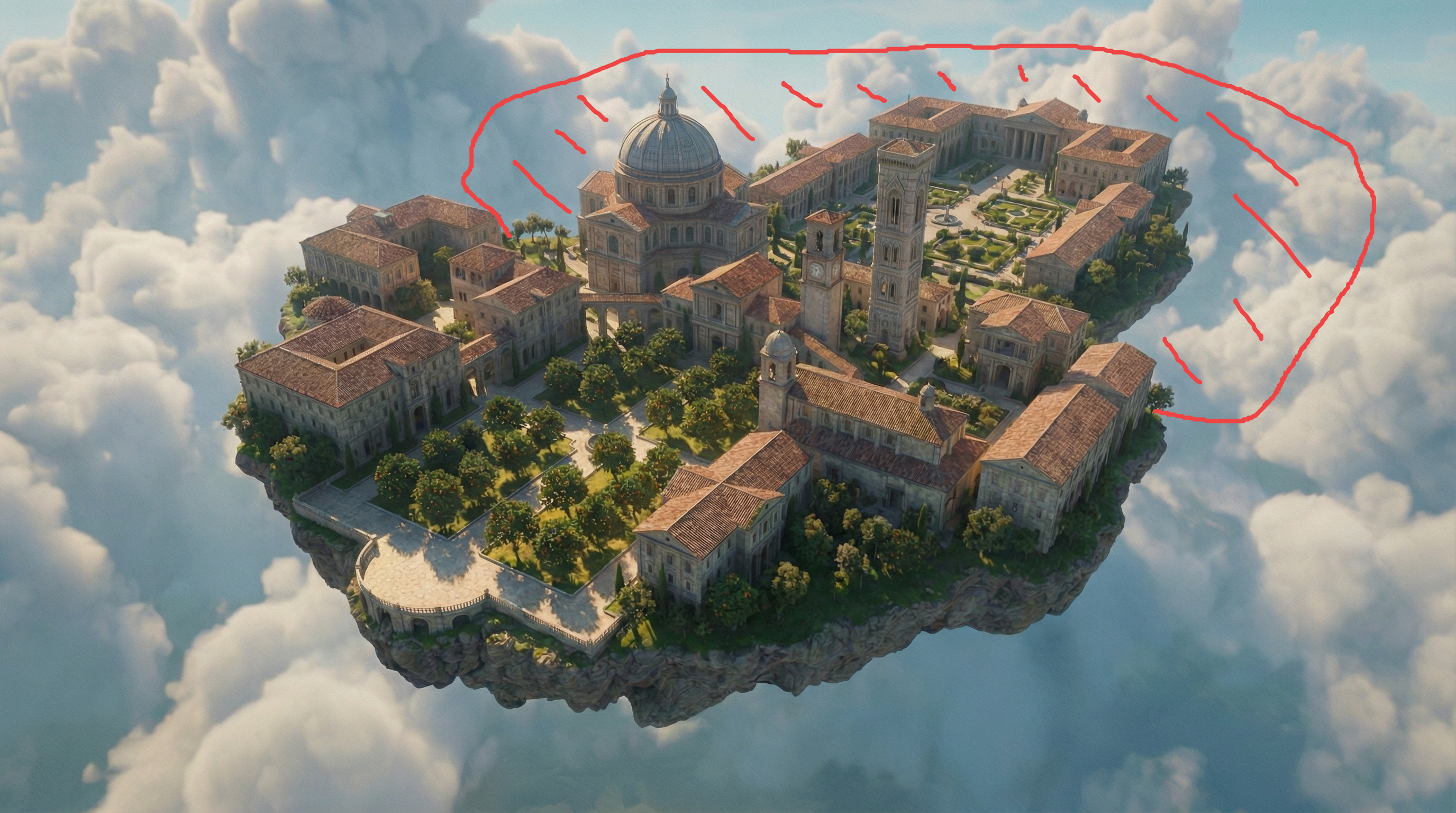
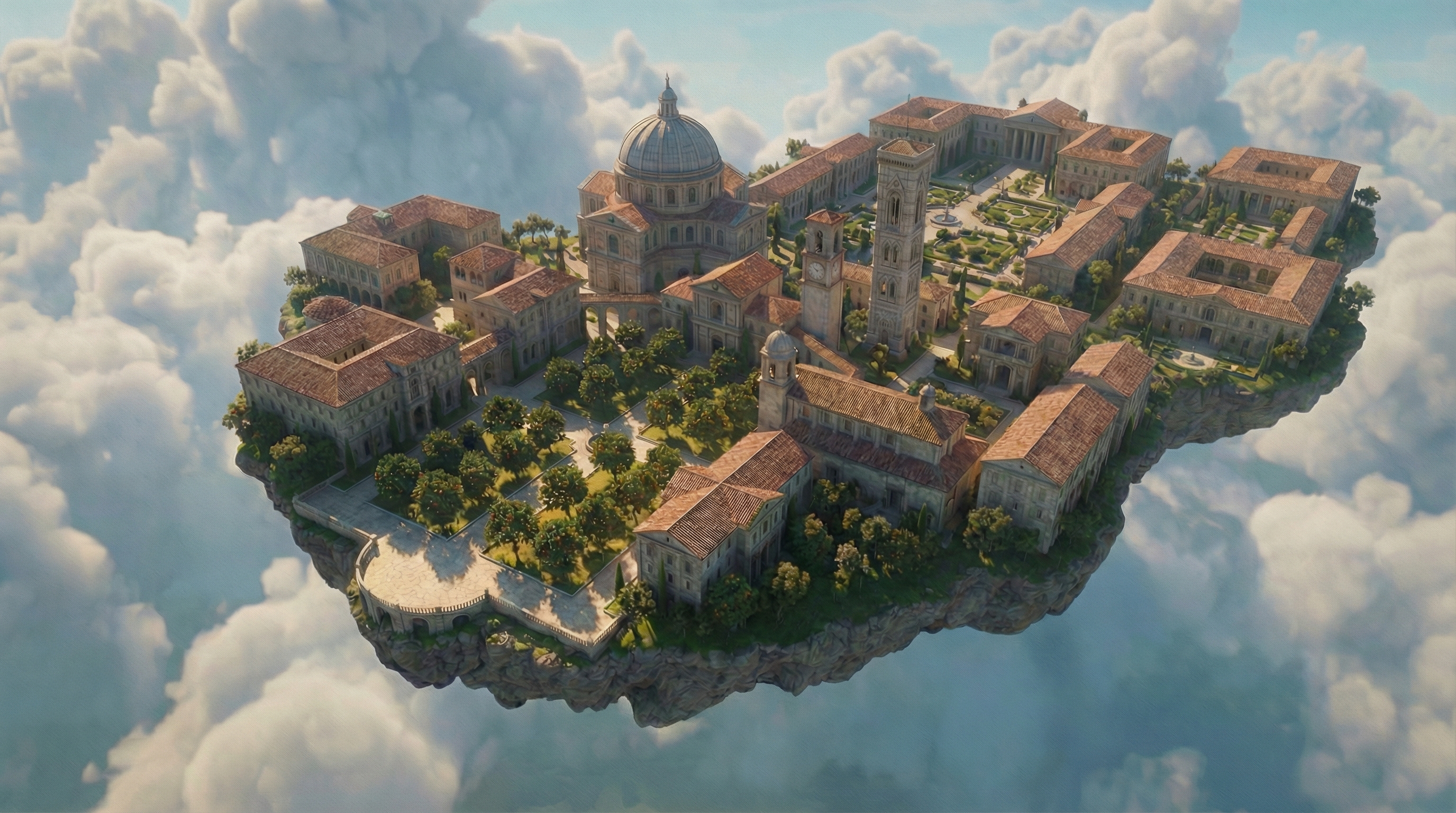
Then I kept adding more and more details, like a park, pond, and waterfall. I would take the previous generated image, attach it, then tell Nano Banana Pro what to do with it.
But after 10 or so iterations of this, I noticed something peculiar: the small textures in parts of the image I told it not to modify started to degrade. Their textures went from clean and natural to weird, malformed, and poor quality.
It looks like it went through a JPEG image compressor 100 times.
With each new iteration, I attached the previous image to use as a reference. While the AI model did preserve the image in places that I wanted it to, it also degraded the image as a whole. I panicked when I first saw this. I had already been building this university with multiple iterations, and now it looked terrible.
The Solution
First, I tried plugging my image back into Nano Banana Pro with prompts like "improve the textures, add more details, make it clean" to try to clean up the artifacts with a new image. That didn't work.
Then I tried prompting it for a new angle of the same image. It gave me a new angle, but the new angle had the same strange artifacts.
Finally, I tried using a completely different AI image editing model: Bytedance Seedream 4.5. I used the same prompt I did with Nano Banana Pro and told it to clean up the image, make it look nice...and it worked!
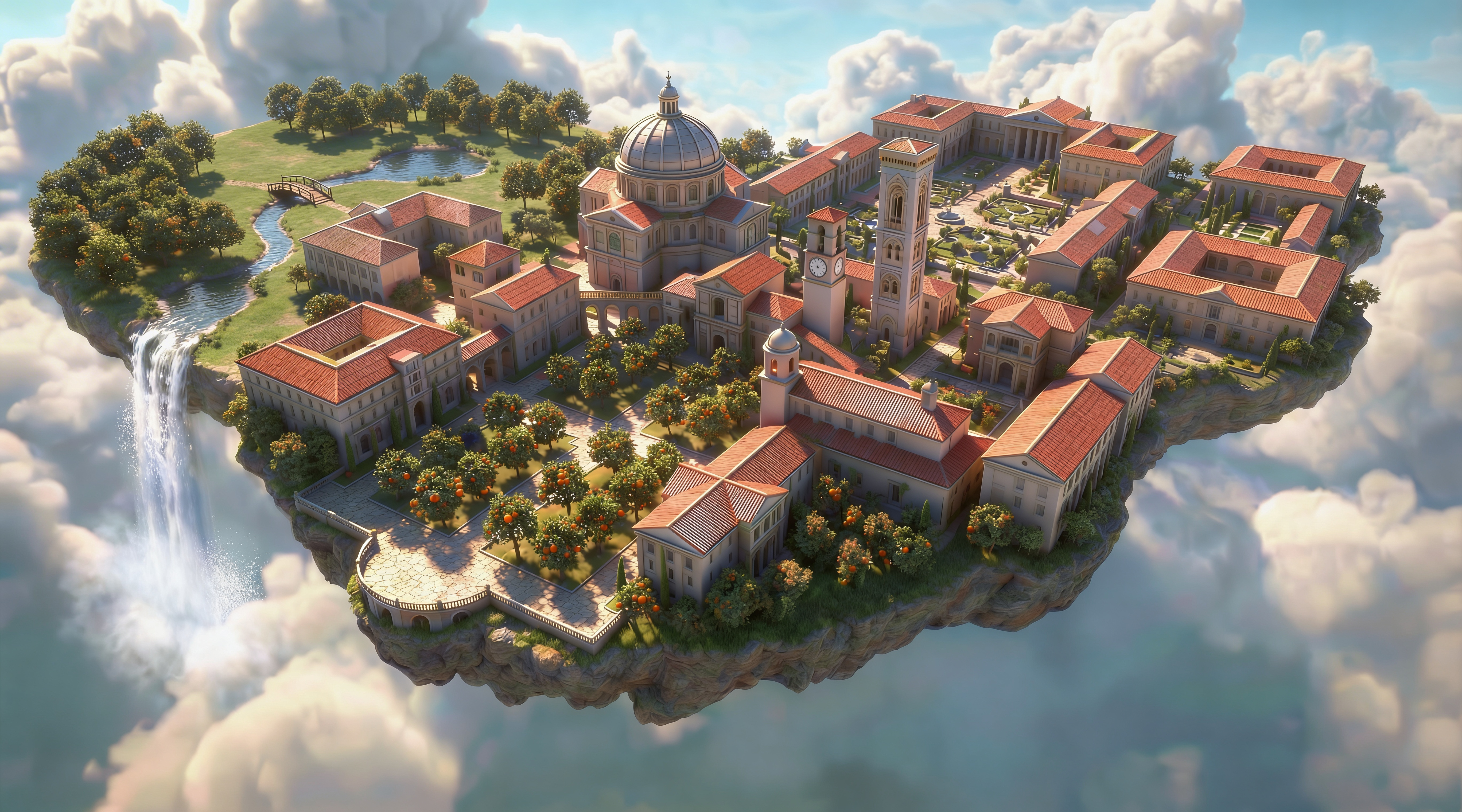
While it's not perfect, it did remove all the weird artifacts! Now we have something we can work with again. I did a few more iterations using Nano Banana Pro again since our "weirdness" level has been reset.
The last few edits cleaned up things like the too-large oranges on the trees and added back some details and a bit of detail to the buildings.
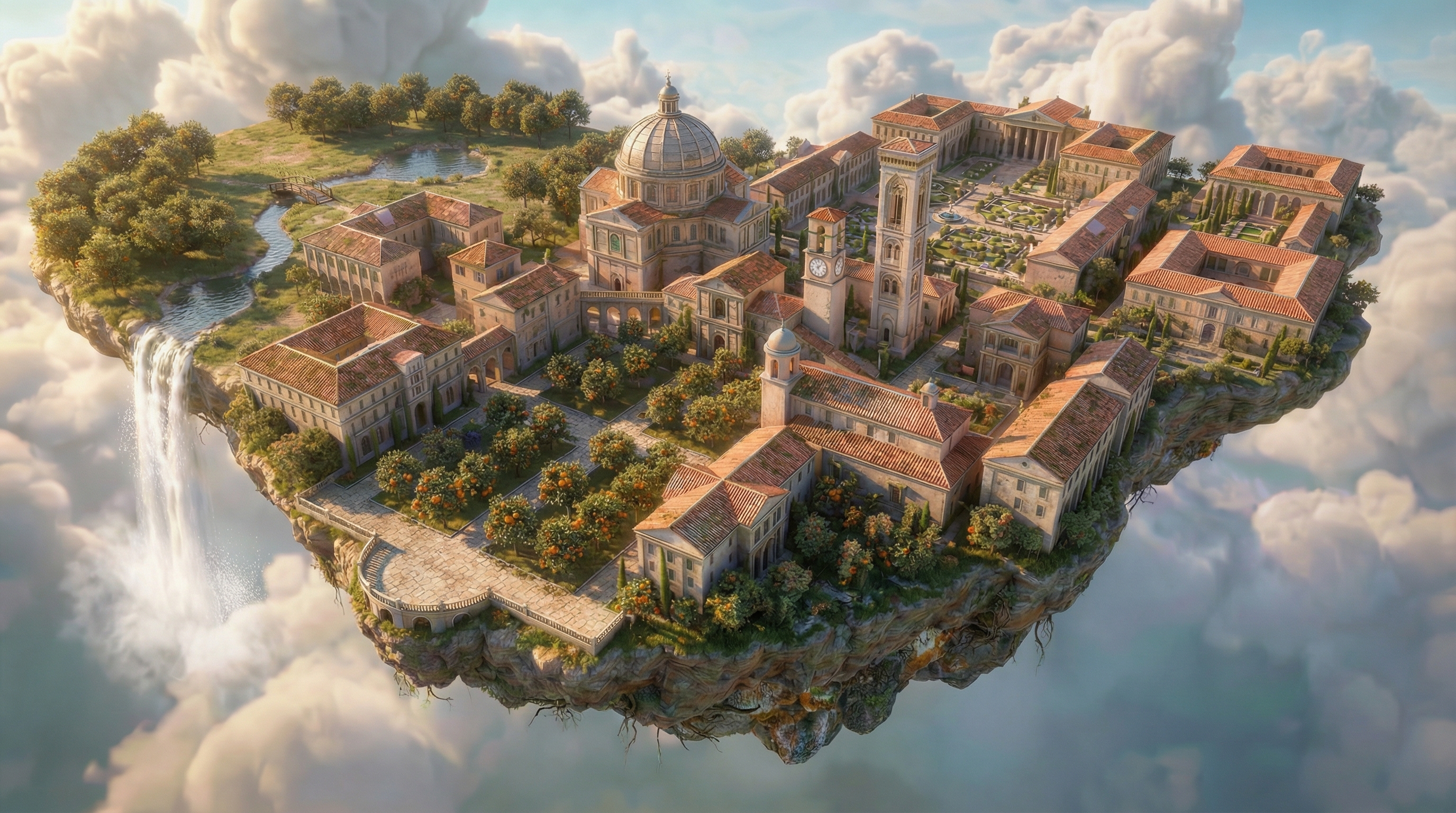
Keep in mind that this has only been tested on a very small set of images so far. But it makes sense that this would be true for any kind of image run through Nano Banana Pro since it's based on how the model handles images attachments. It might also be related to Google's SynthID and how it adds invisible watermarks to every image.
I haven't tested the same iterative editing flow with Seedream 4.5 yet, since I usually turn to Nano Banana Pro first for its great detail retention capabilities while editing images.
If you're also doing iterative image editing with Nano Banana Pro, have you seen this behavior before?
This was also published as an article on X.